DBeaver
DBeaver is a free, open-source, cross-platform database tool. DBeaver 26.1.5 and later include a dedicated GreptimeDB driver that connects over the MySQL protocol.
Create a connection
Click the "New Database Connection" button in the DBeaver toolbar, select GreptimeDB from the database list, and click "Next".
The connection settings page is prefilled with GreptimeDB defaults:
- Connect by: Host
- Host:
localhostif GreptimeDB is running on your local machine - Port:
4002if you use the default GreptimeDB configuration - Database/Schema:
public, you can use any other database name you have created - Enter the username and password if authentication is enabled on GreptimeDB; otherwise, leave them blank.
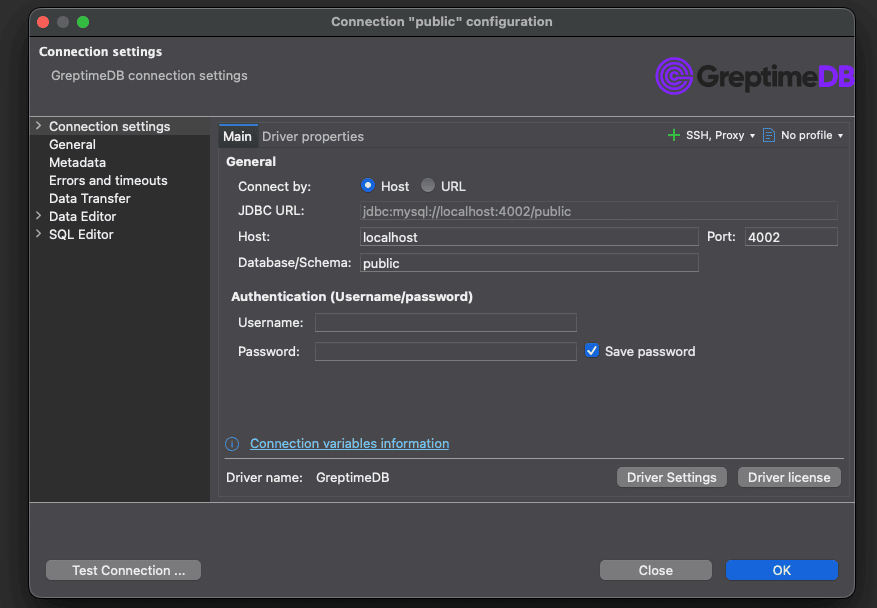
Click "Test Connection" to verify the connection settings and click "Finish" to save the connection.
Browse data
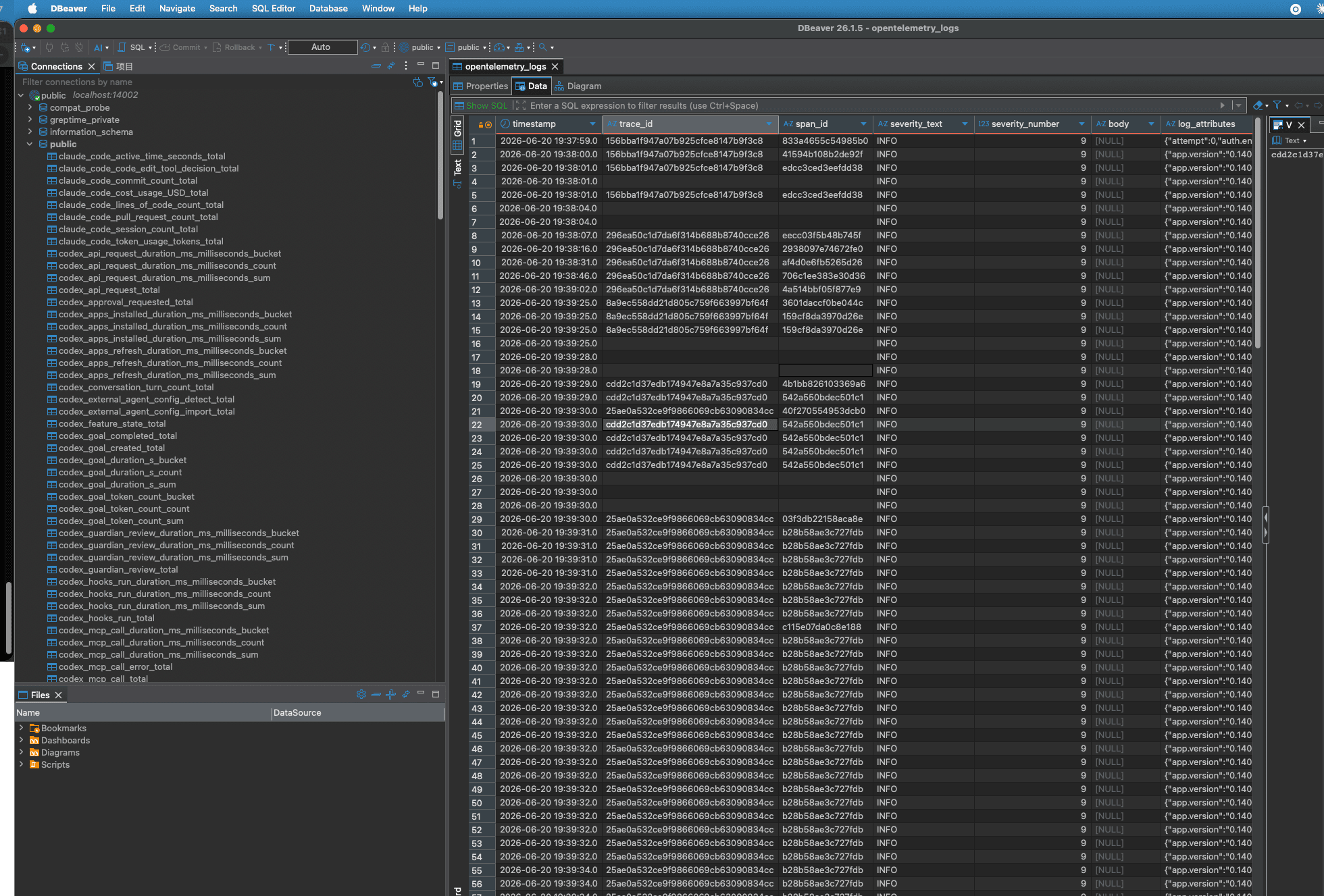
The database navigator lists public, information_schema, greptime_private, and the tables in each.
Open a table to browse its rows on the "Data" tab, or run queries from the SQL editor.
The "Properties" tab shows each column's name and data type, along with its GreptimeDB semantic type: TIMESTAMP, TAG, or FIELD.
Use the MySQL driver
On DBeaver versions earlier than 26.1.5, select MySQL instead of GreptimeDB and install the MySQL driver if you haven't already. The connection details are the same, except that you must enter the host, port, and database name yourself.
Either driver only covers what the MySQL protocol exposes. For more information on interacting with GreptimeDB using MySQL, refer to the MySQL protocol documentation.